Automating Complex Pricing in Salesforce Revenue Cloud with Procedure Plans

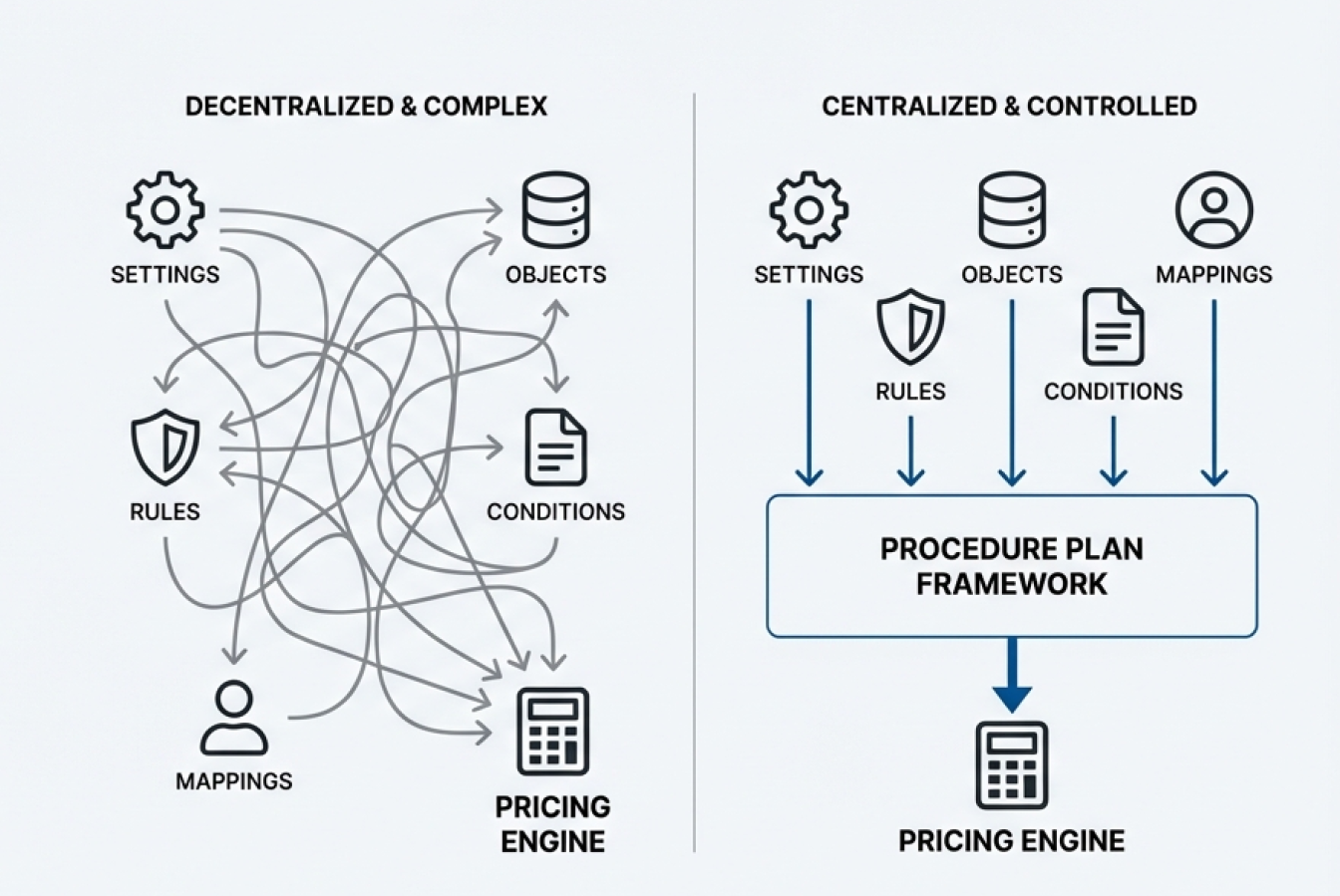
Pricing rarely stays “simple” for long. As soon as you sell to different customer segments (Gold vs. Silver), run different deal types (new vs. renewal), or operate across regions and channels, your pricing logic can turn into a maze: rules scattered across settings, object-level logic living in different places, and a pricing engine that’s hard to govern or explain.
Salesforce’s Procedure Plan Framework is meant to fix that by giving you a single, centralized control point for:
- what data pricing needs (context)
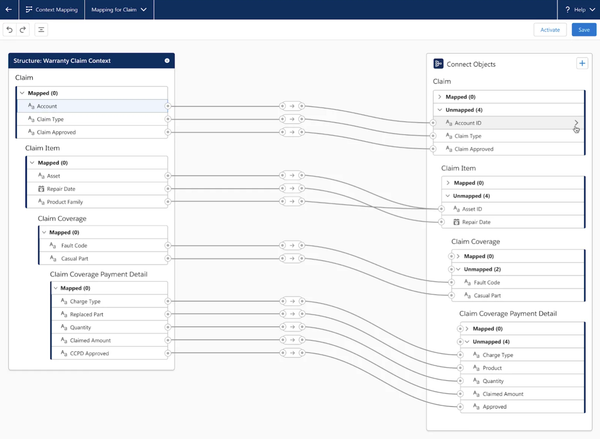
- how that data moves into/out of the pricing engine (mappings)
- and which pricing procedure runs under which conditions (rules).
What are Procedure Plans (in plain English)?
Think of pricing like a kitchen:
- A Pricing Procedure is a recipe: steps to calculate prices (base price, discounts, adjustments, totals, write-back).
- A Procedure Plan is the menu manager + routing system: it decides which recipe to use for each situation and ensures the ingredients are prepared and delivered correctly.
So instead of forcing every quote through one massive “super-procedure,” you can keep procedures clean and targeted—and route each quote to the right procedure automatically.
This is exactly what the framework is designed for: define prerequisites (context/mappings) and the conditions for when a specific procedure should run—all in one place.
The headline capability: different Quotes can run different Pricing Procedures (automatically)
Yes—this framework is explicitly showing that Pricing Procedure selection can be conditional per Quote (or per Order, Account, or custom object).
The example :
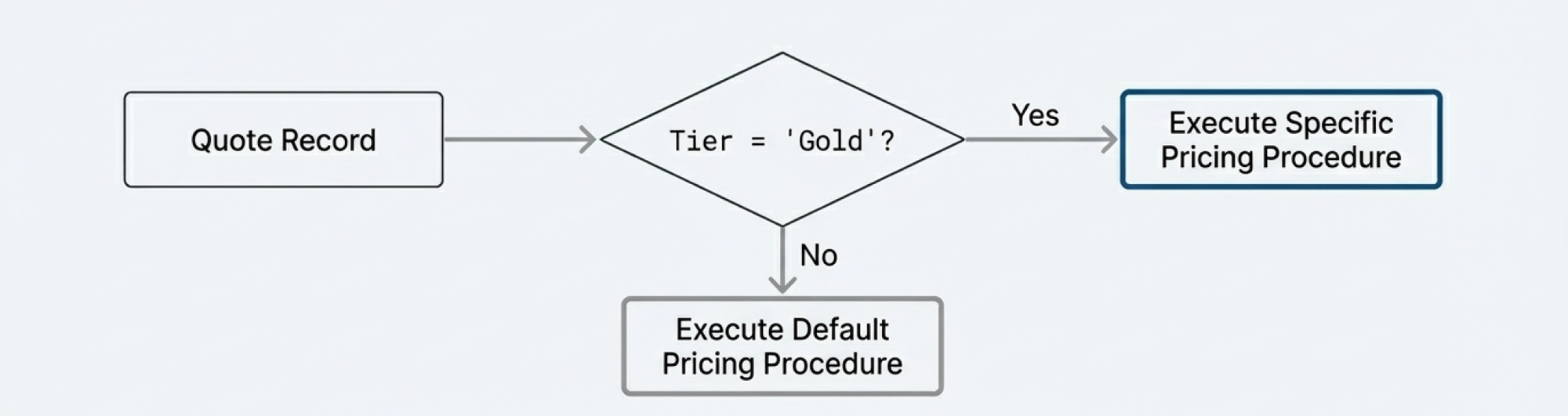
If a Quote’s Tier field is “Gold,” then run a specific pricing procedure.
This is the core idea business teams care about:
- Quote A (Gold) can price one way
- Quote B (Standard) can price another way
…and you manage that logic centrally.
Key Takeaways :
1) One control hub for pricing decisions
Procedure Plans centralize the “what runs when” logic instead of scattering it across multiple components.
2) Conditional pricing without rebuilding everything
You can create multiple pricing procedures and use rules to select the right one per Quote (or Order, Account, etc.).
3) Easier governance and change management
Adding a new customer tier or pricing strategy becomes “add a rule + procedure,” not “rewrite the entire pricing engine.”
4) Better transparency and auditability
Pricing logs and the Pricing Operations Console help confirm which procedure ran and why.
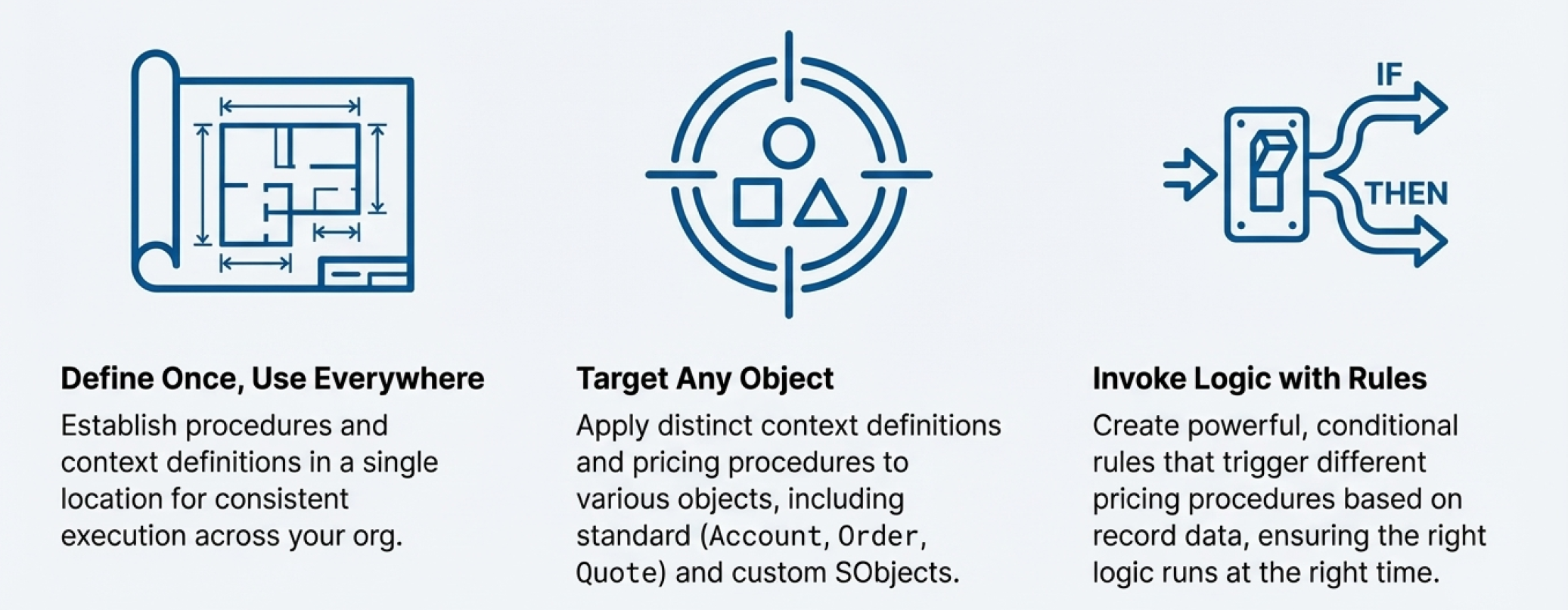
What the framework can do :
- Define once, use everywhere
Establish procedures and context definitions centrally so execution stays consistent across the org. - Target any object
Apply distinct context definitions and pricing procedures to objects like Account, Order, Quote, and even custom - Invoke logic with rules
Create conditional logic (“if/then”) to trigger different pricing procedures based on record data.
The walkthrough example: pricing changes based on Quote Tier
You will configure routing so that:
- If a Quote has Tier = Gold, the system runs a specific pricing procedure.
- Otherwise, it runs a default procedure.
This is the simplest “hello world” setup that proves the pattern and gives you a blueprint for real-world expansion.
Prerequisites (quick checklist)
Before you start, confirm you have:
- Revenue Cloud Pricing enabled and working in your org
- At least one existing pricing procedure you can select (a “default” procedure is fine for the first test)
- A known-good context definition and mapping for Quotes (many orgs use standard ones)
- Admin/config permissions for Setup areas used below
Core components you will configure
1) Procedure Plan Definition
The top-level container that connects:
- Primary object (Quote in this example)
- Process type
- Context definition
- One or more plan sections, each section describing how to resolve and run pricing procedures
In other words: the “pricing control record” for a given object.
2) Procedure Plan Section (Pricing Procedure section)
A section inside the plan that defines:
- Which context definition applies for that section
- Which mappings to use (read + save)
- How to resolve which procedure to run (rule-based in our example)
3) Rule-based resolution
This is the “if/then” part: evaluate criteria and select a procedure.
Step-by-step configuration (Tier-based routing for Quotes)
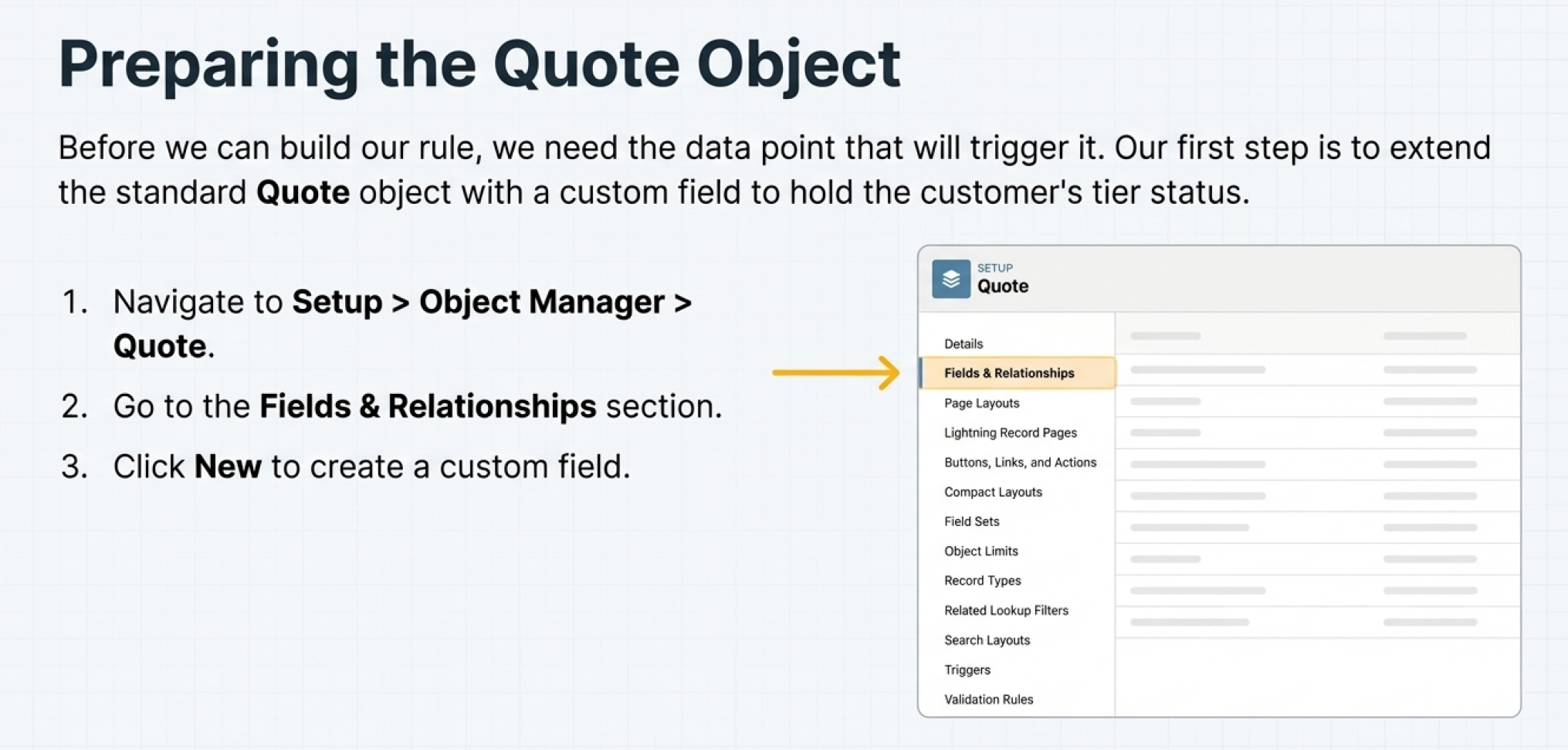
Step 1 — Add a “Tier” field to Quote (the routing input)
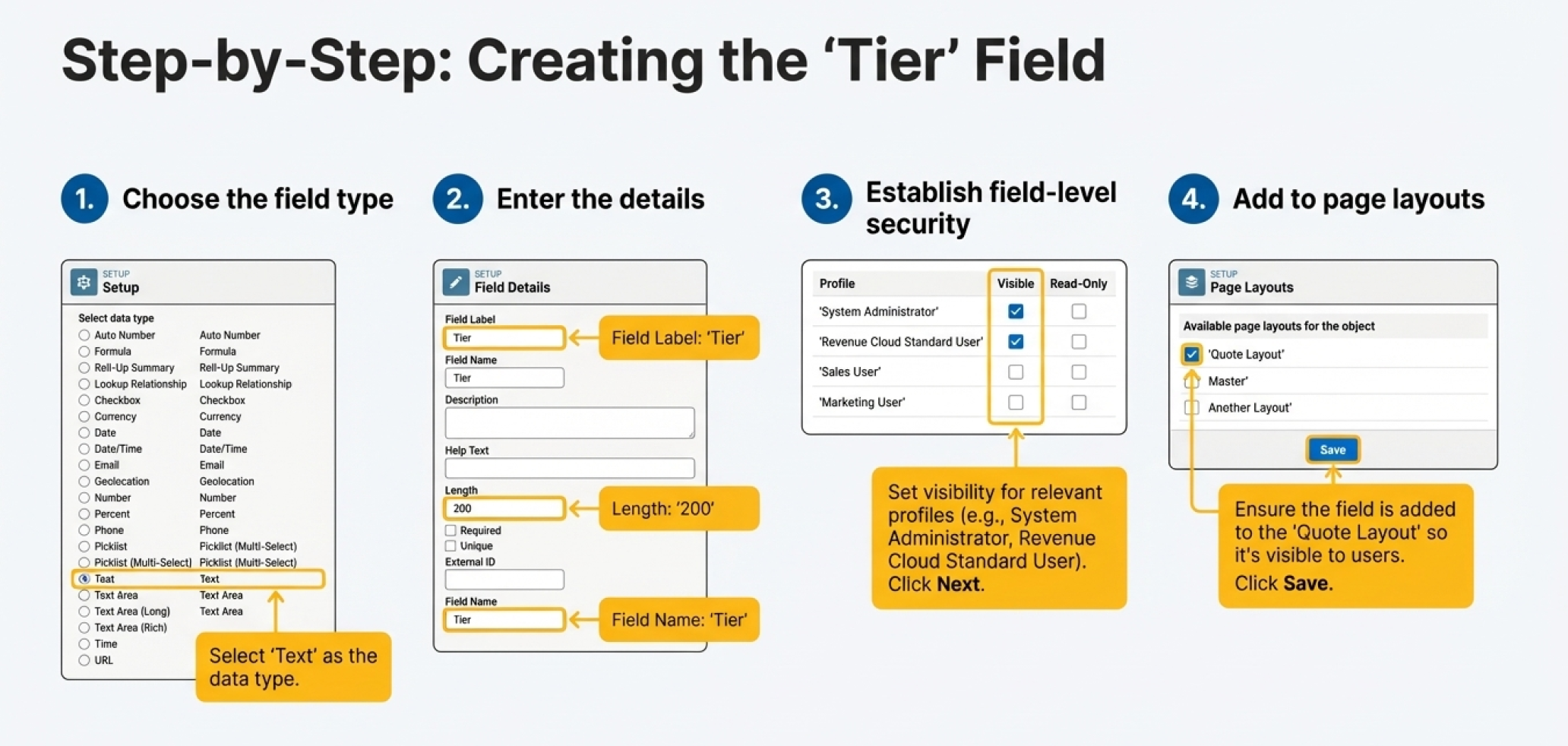
Create a custom field on Quote called Tier.
- Type in the example is Text (simple and fast)
- Best practice recommendation: use a Picklist for Tier in production (Gold/Silver/Platinum). Picklists reduce typos (“gold” vs “Gold”), prevent mismatches, and make rules more reliable.
Why this step matters: the rule engine needs a clean attribute on the Quote to evaluate.
Step 2 — Create the Procedure Plan Definition for Quote
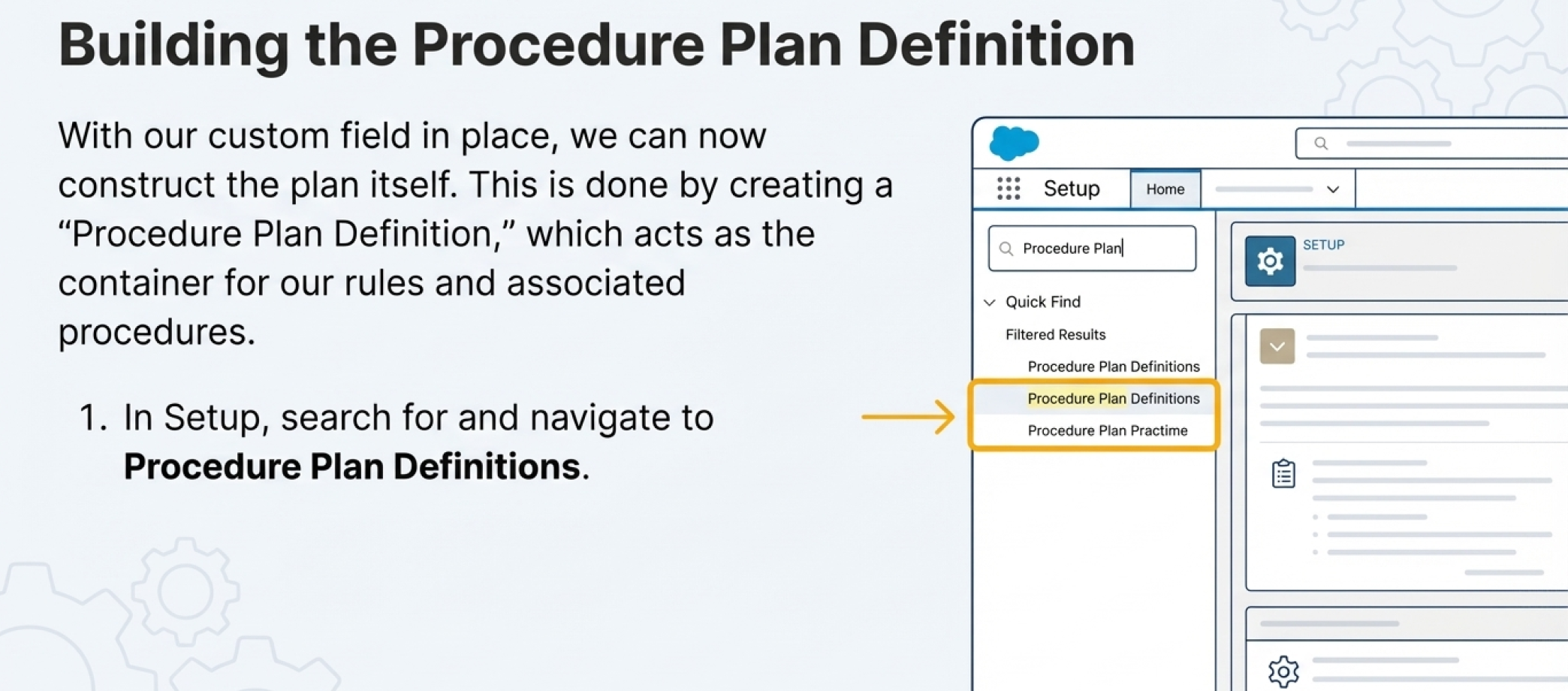
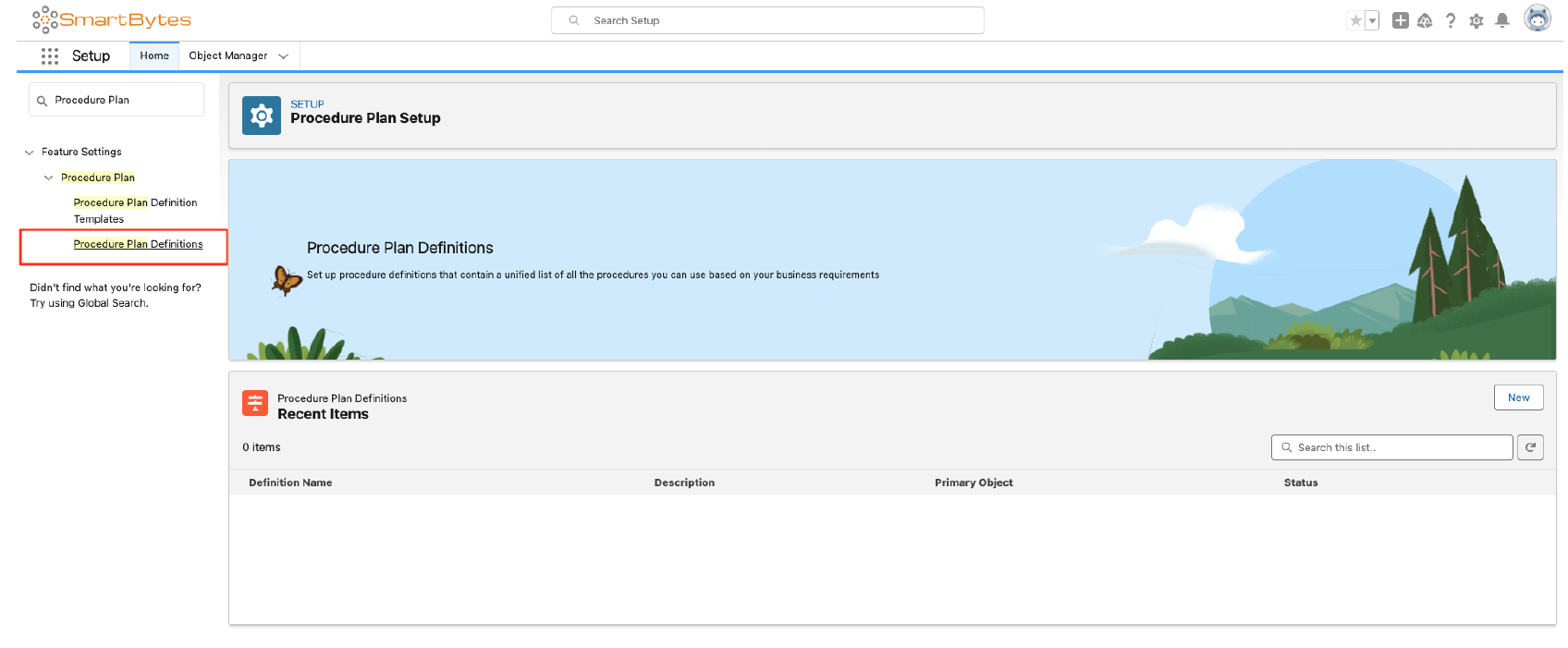
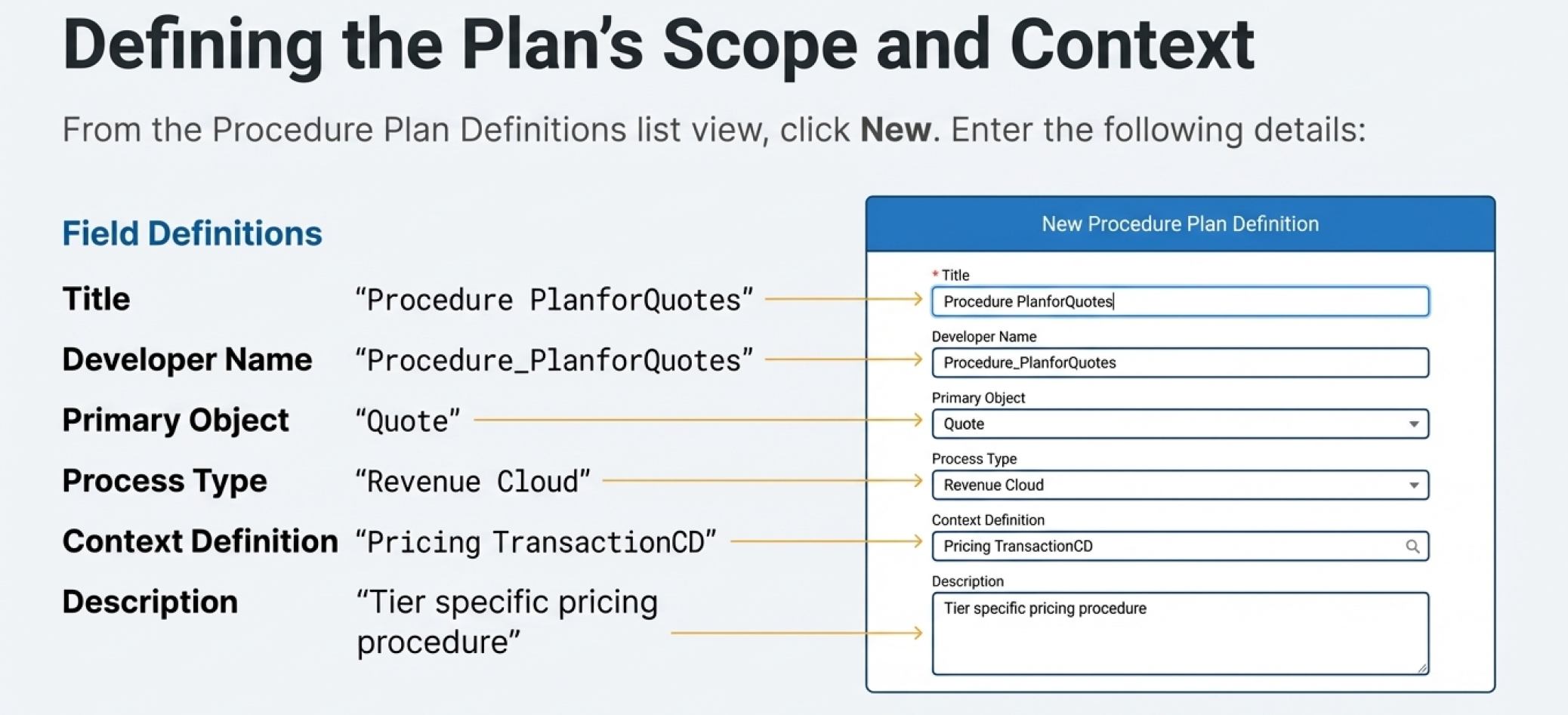
Navigate in Setup to Procedure Plan Definitions and create a new record with values like:
- Title / Developer Name: (your naming convention, e.g.,
ProcedurePlanForQuotes) - Primary Object: Quote
- Process Type: Revenue Cloud
- Context Definition:
PricingTransactionCD
What you’re doing here (engineering view):
You’re declaring: “When pricing is executed for Quotes, use this plan and this transaction context.”
Step 3 — Add a Pricing Procedure section + connect context mappings
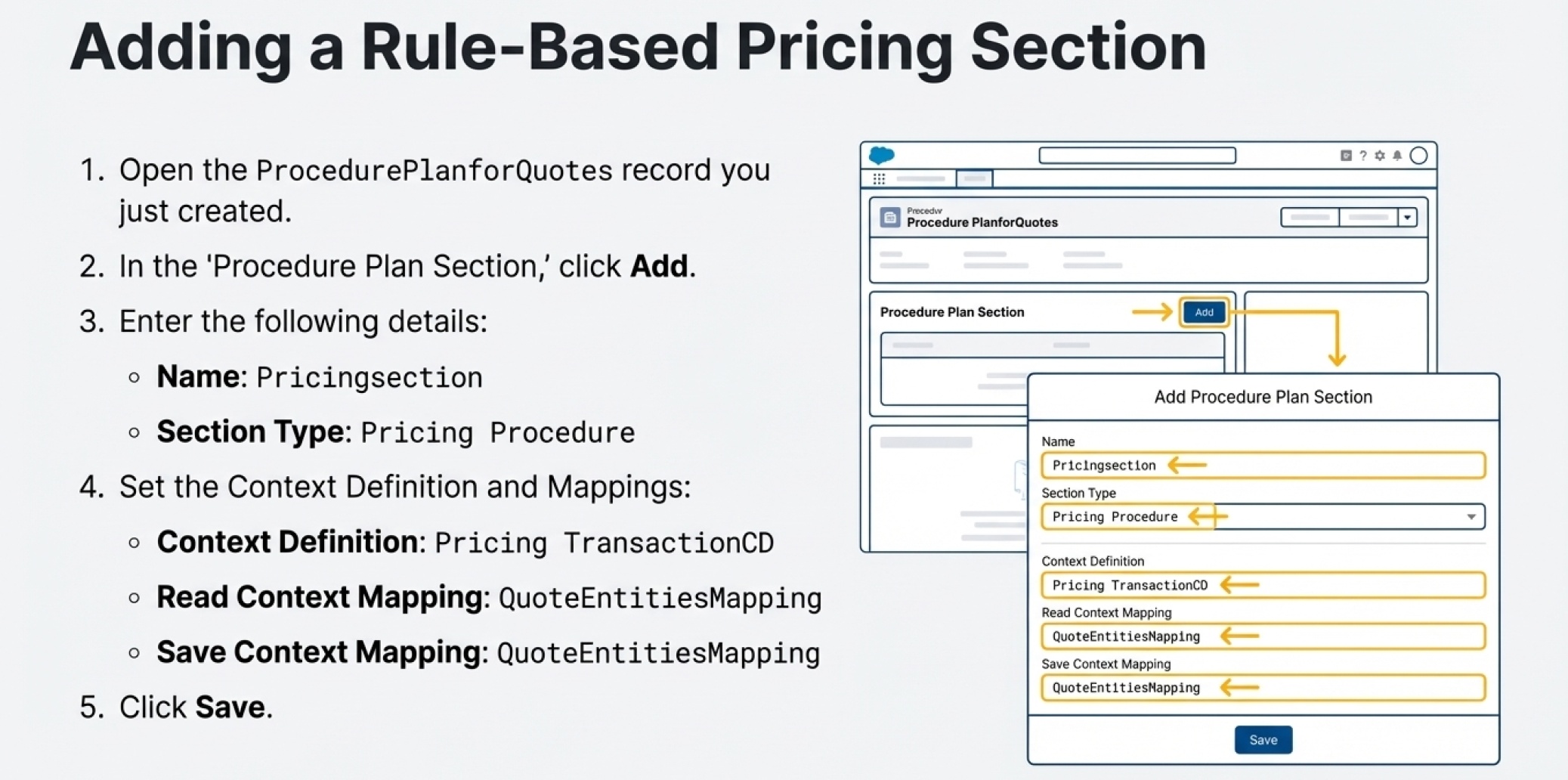
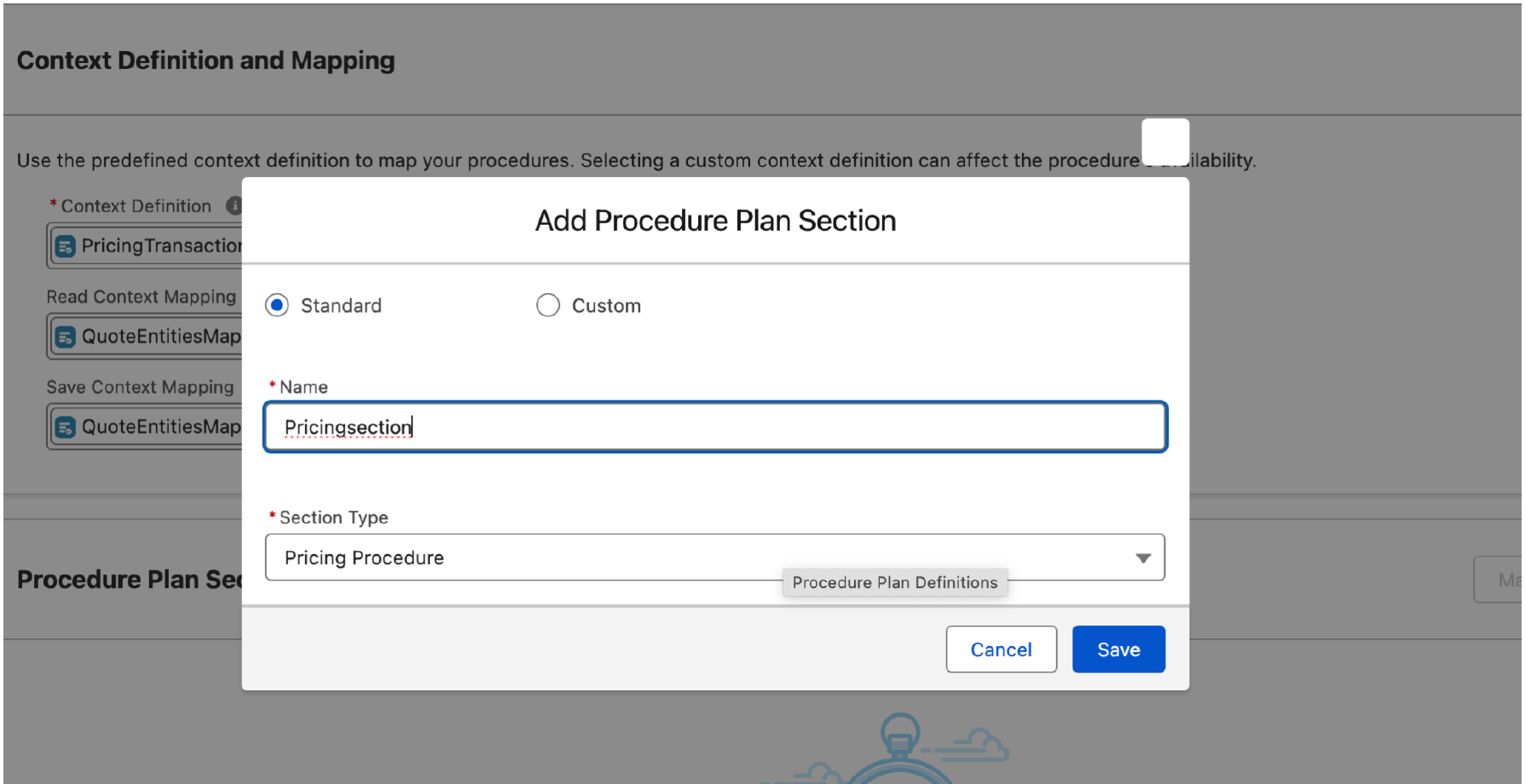
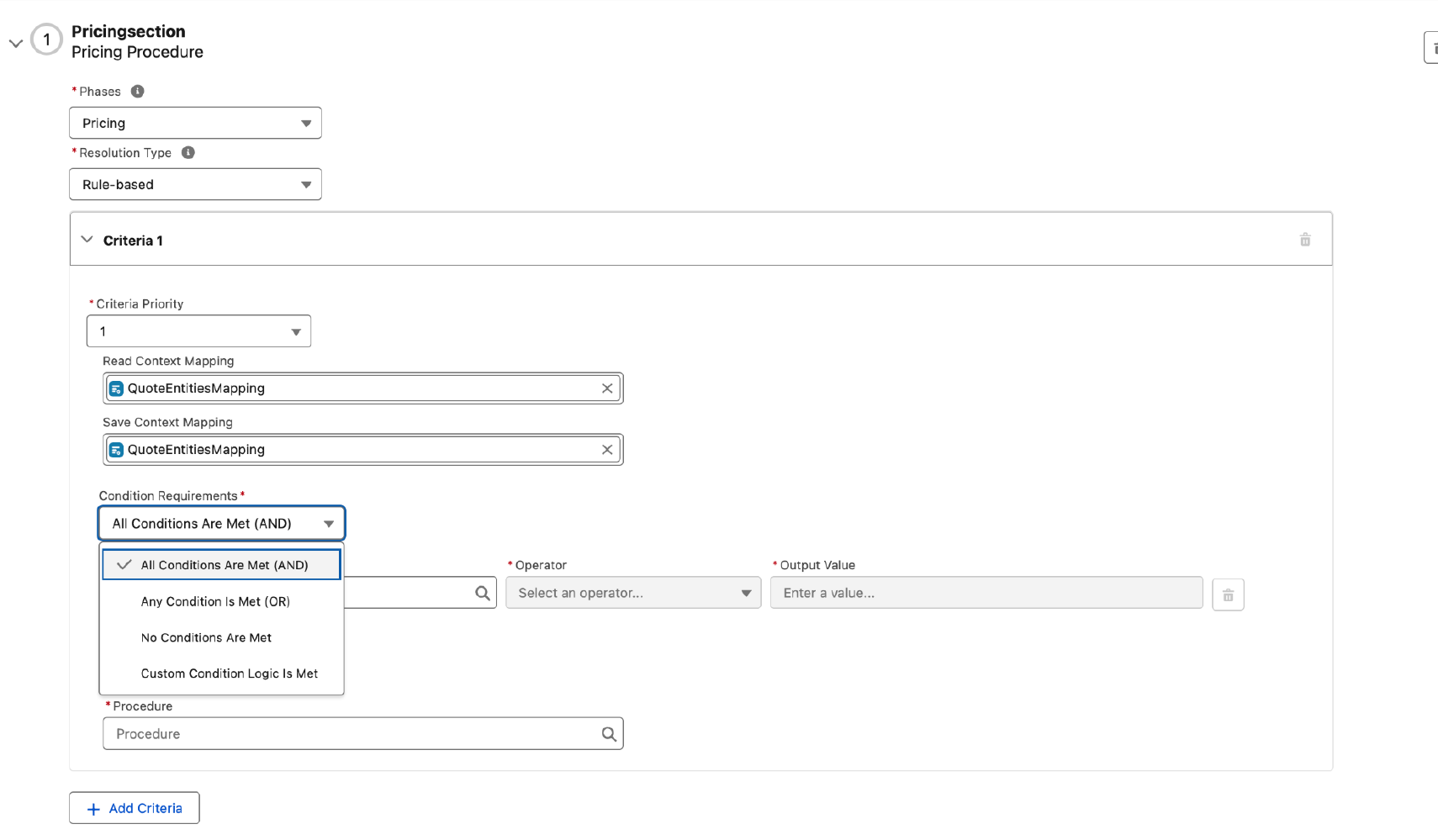
Inside the plan definition, add a section (example name: Pricingsection) with:
- Section Type: Pricing Procedure
- Context Definition:
PricingTransactionCD - Read Context Mapping:
QuoteEntitiesMapping - Save Context Mapping:
QuoteEntitiesMapping
Why mappings matter (don’t skip this mentally):
Even if your rule is based on a Quote field, pricing still operates on a structured transaction dataset. The read mapping must carry the right attributes into that dataset; the save mapping must write results back. If mapping is wrong/incomplete, you can get “pricing ran but results didn’t change” or “rule didn’t match” symptoms.
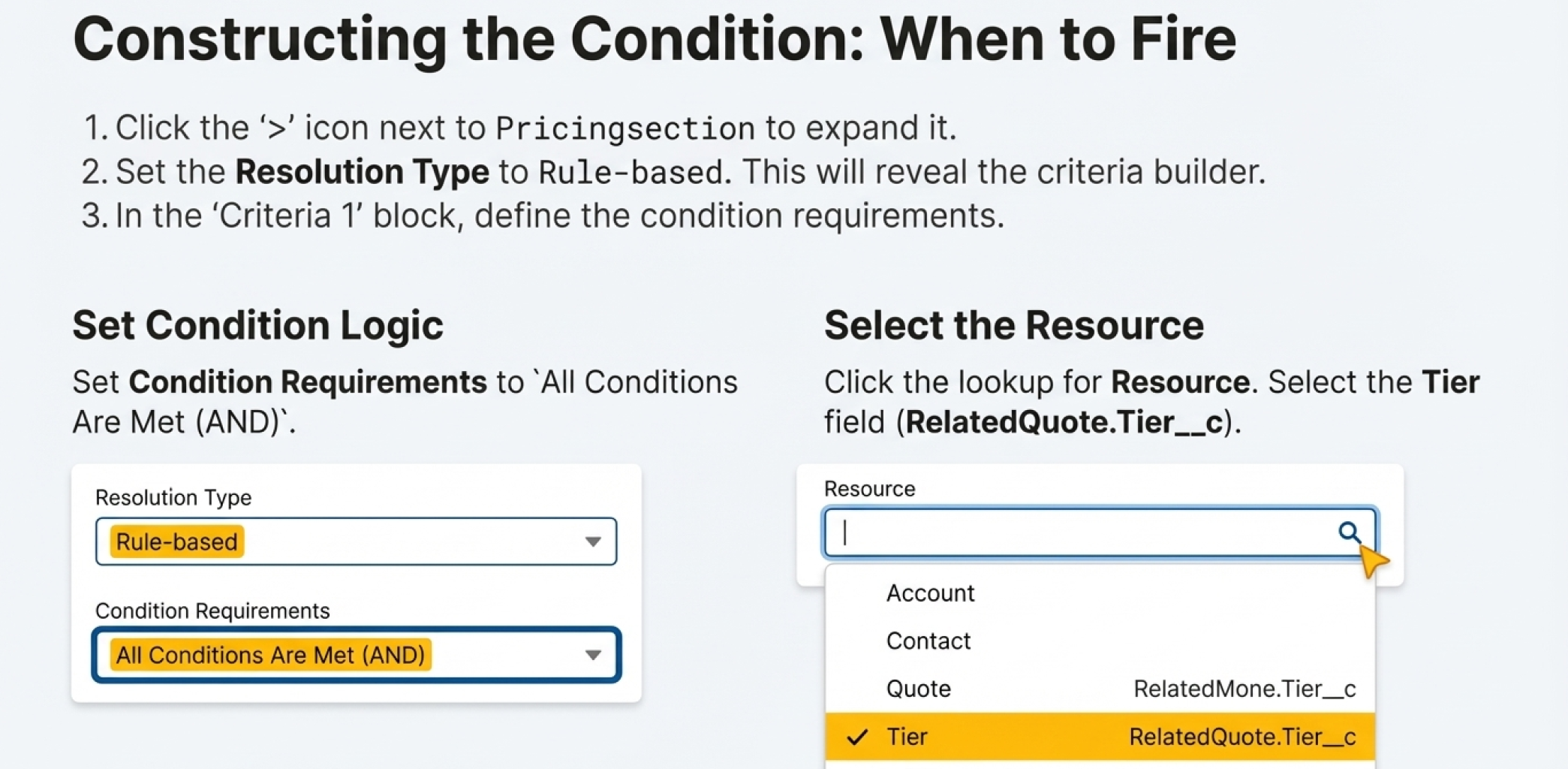
Step 4 — Switch resolution type to Rule-based
Expand your pricing section and set:
- Resolution Type: Rule-based

This reveals the criteria builder.
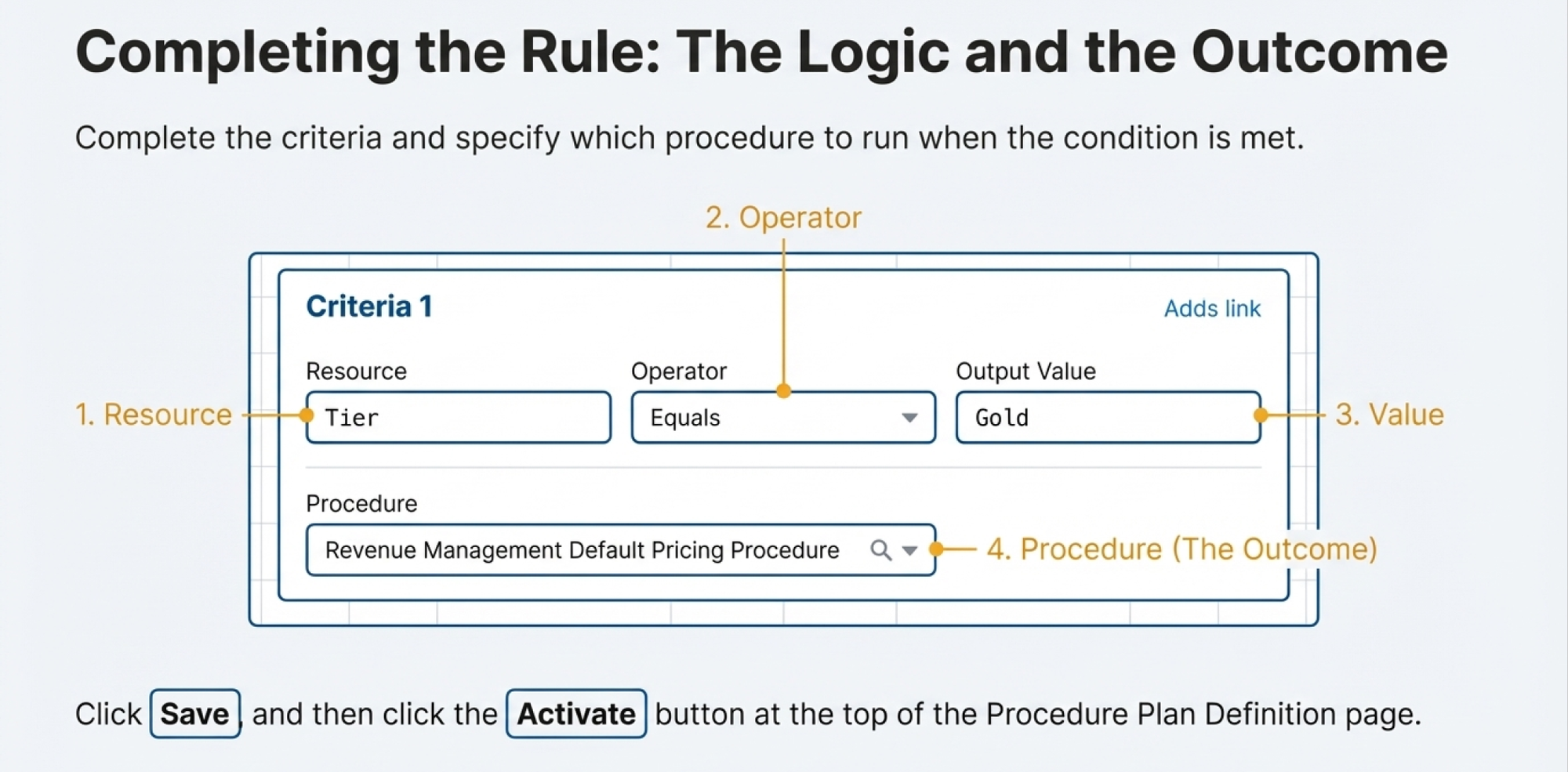
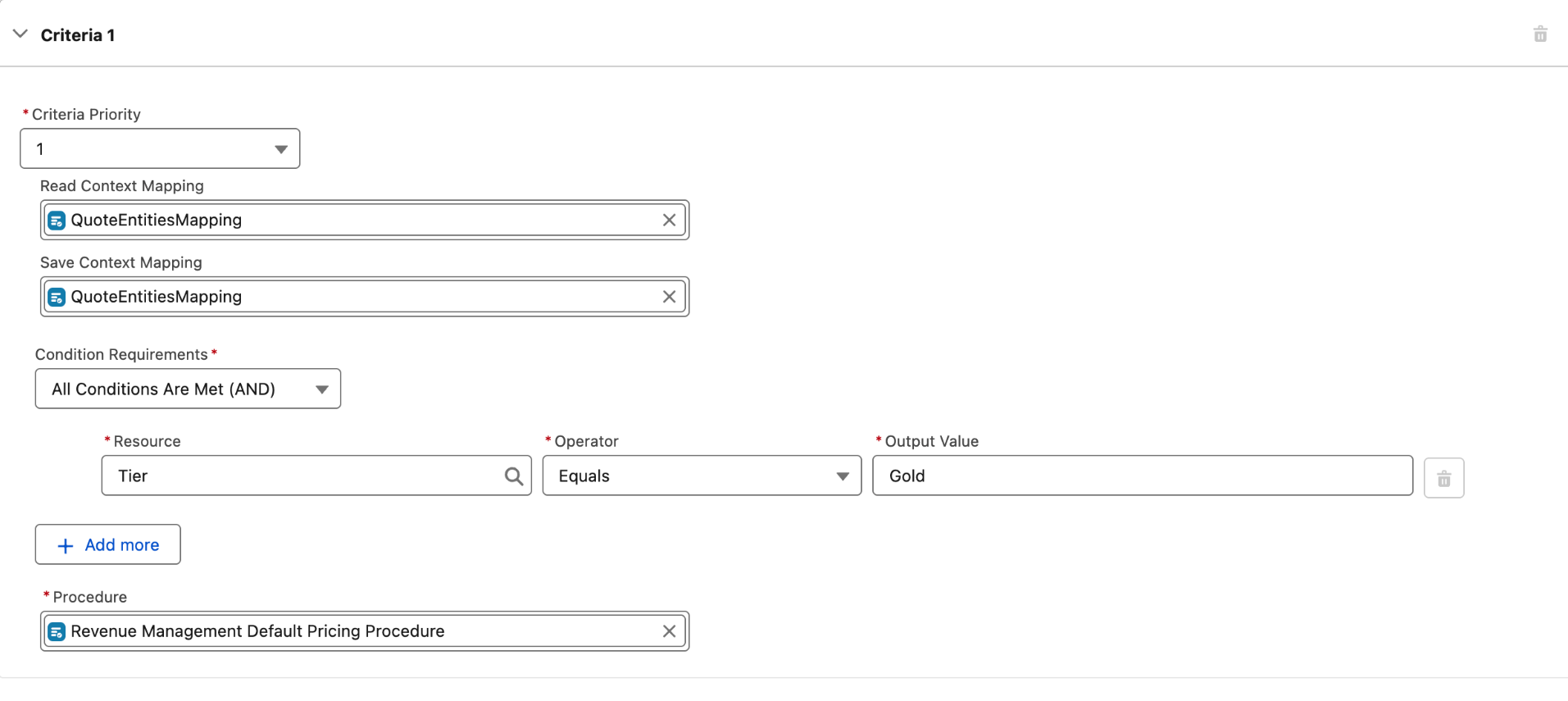
Step 5 — Build the rule: Tier equals “Gold”
Create a criteria block with logic like:
- Condition requirements: All conditions are met (AND)
- Resource: Tier
- Operator: Equals
- Value: Gold
- Procedure outcome: choose the pricing procedure you want to run when Tier is Gold
Practical guidance for configuration engineers
- Use a “default catch-all”: In real deployments, always add a fallback rule (or a default procedure) so quotes with blank/unexpected Tier still price deterministically.
- Design for maintainability: Keep each procedure focused (one tier strategy per procedure) and let the plan do the routing. This is easier to test and easier to change later.
- Normalize Tier values: If Tier is text, enforce consistent values via validation rules, flows, or convert to picklist.
Step 6 — Save and Activate
Save your plan and activate it.
Activation is not ceremonial—many orgs “configure everything correctly” but forget activation and then spend hours debugging why nothing changes.
Org-level settings you must enable (to ensure the plan is actually used)
There are two critical settings plus logging:
Revenue Settings
Enable:
- Procedure Plan Orchestration for Pricing
- Exclude Default and Sales Transaction Type Pricing Procedures
Pricing logs
Enable pricing logs capture to make verification and debugging easier.
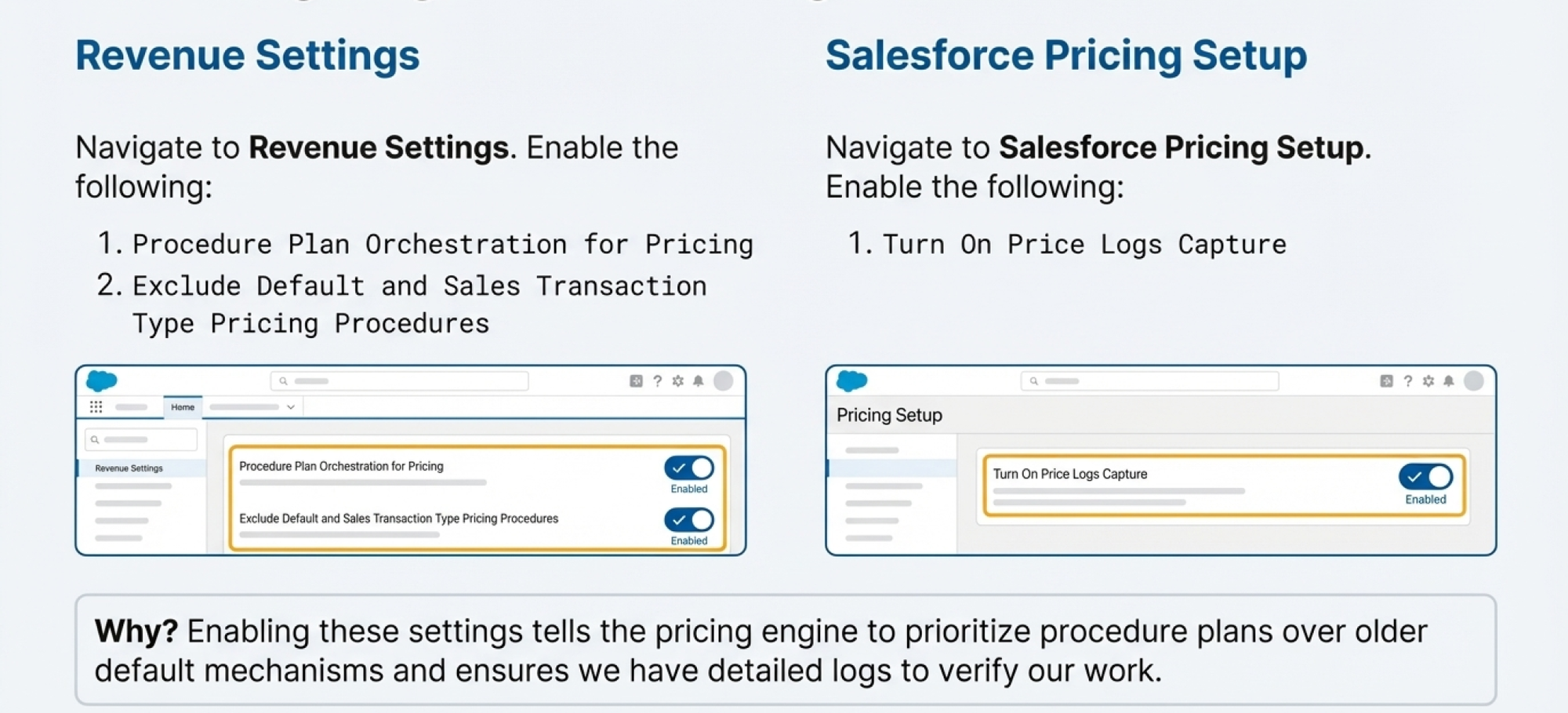
Engineering interpretation:
- The first toggle tells the engine: “use plan orchestration.”
- The second helps prevent “silent interference” where old defaults also run and muddy results.
- Logs are your ground truth for execution decisions.
Testing the setup (hands-on verification)
Step 1 — Prepare a Quote for testing
- Open any Quote
- Set Tier = Gold
- Add at least one product/line
- Change a quantity and save (or run your org’s pricing action)
This forces pricing execution.
Step 2 — Confirm execution in Pricing Operations Console
Go to the Pricing Operations Console and locate the most recent pricing execution. Open the latest execution key and inspect:
- Which pricing procedure executed
- Whether the run completed successfully
- Line-level details (so you can validate actual calculations)
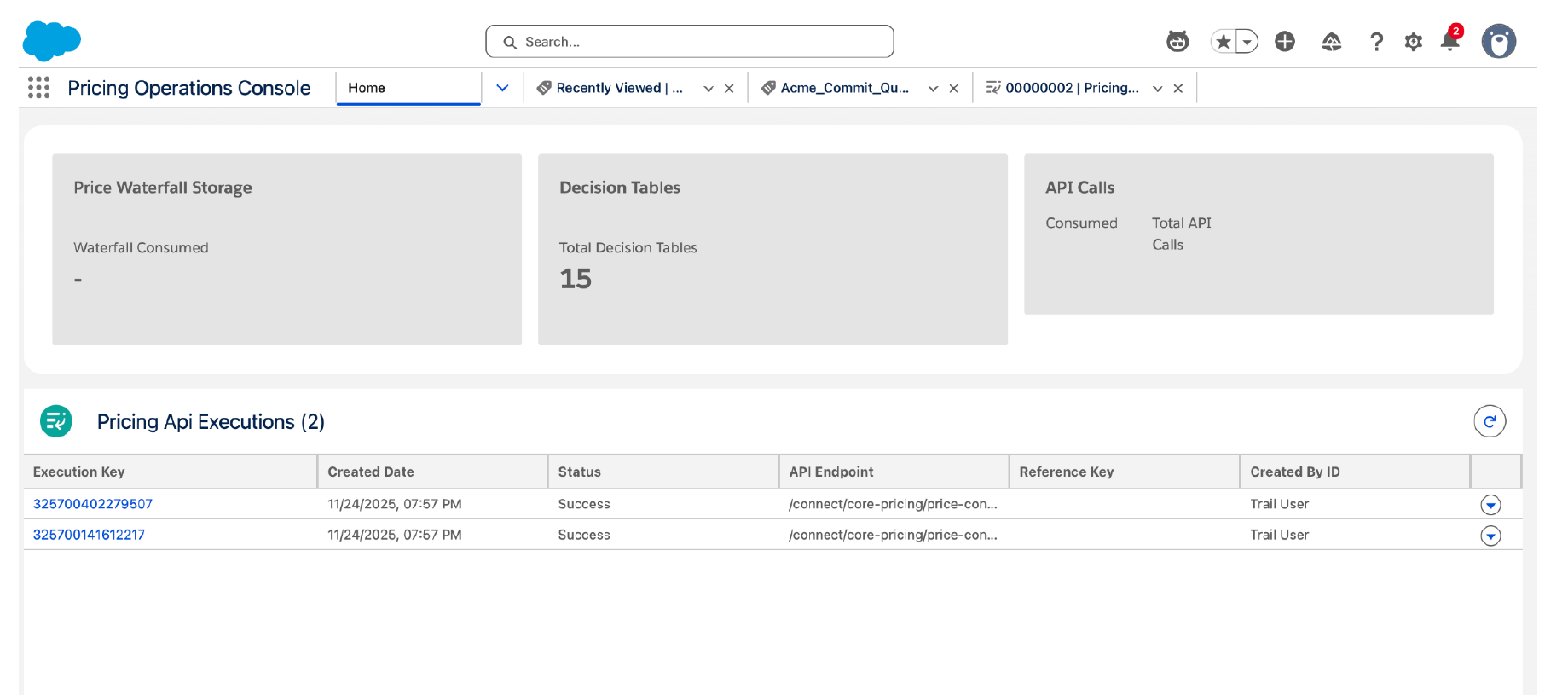
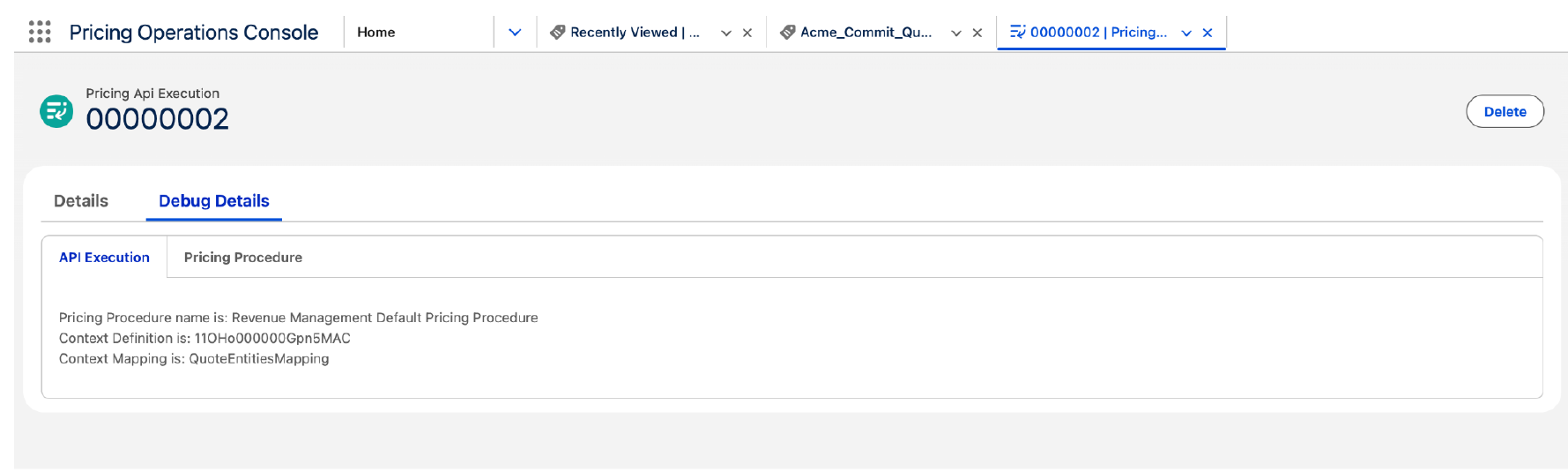
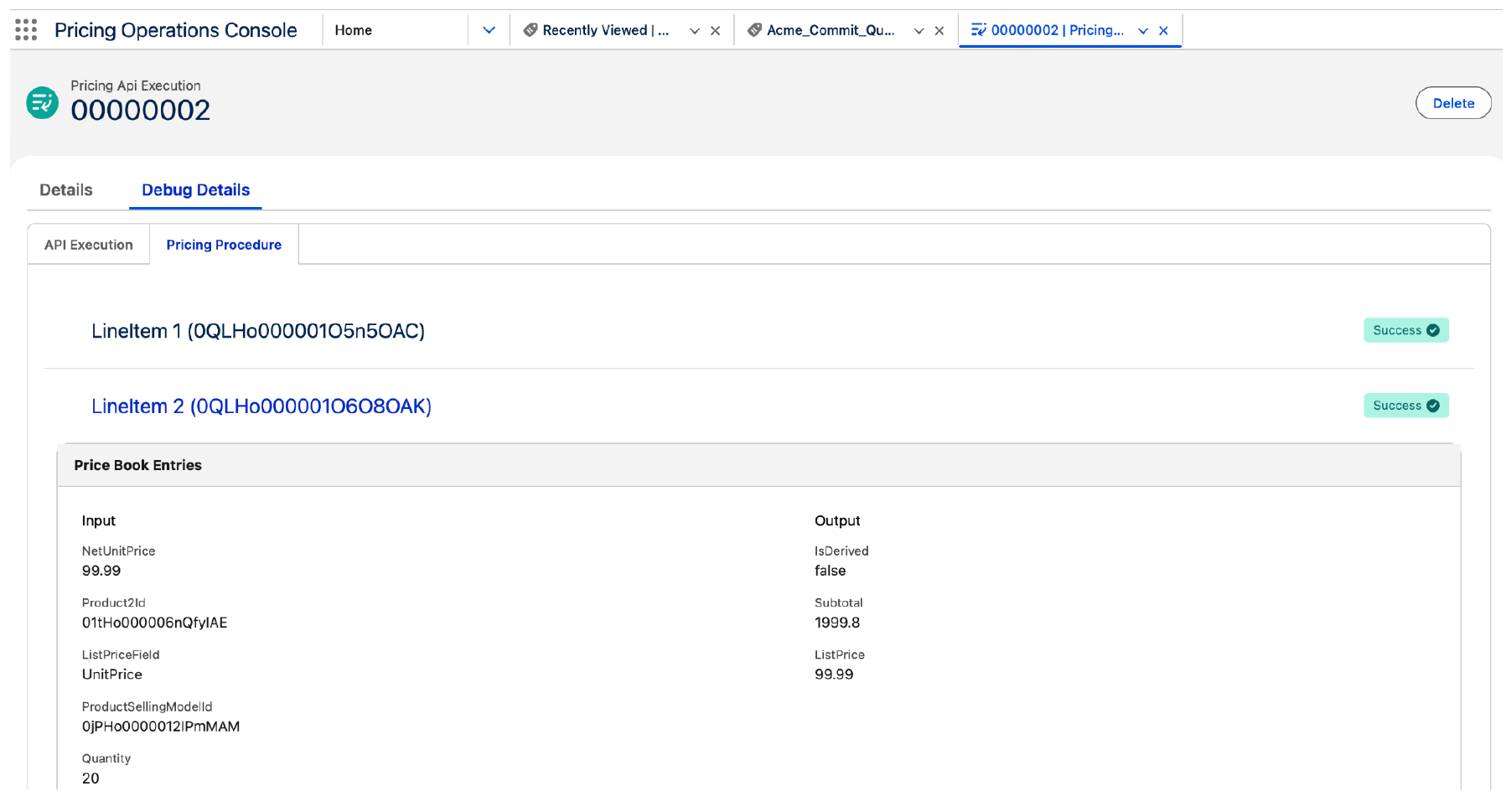
What success looks like:
You can clearly see that the procedure selected by your “Tier = Gold” rule executed for that quote.
Troubleshooting guide (common failures + fixes)
Symptom: “Rule doesn’t seem to apply”
Check:
- Is the plan activated?
- Is orchestration enabled in Revenue Settings?
- Does the Quote Tier value exactly match the rule (“Gold” vs “gold”)?
Symptom: “Pricing runs, but results don’t update on the Quote/lines”
Check:
- Save context mapping (write-back) is correct.
- Your selected pricing procedure actually modifies outputs relevant to the quote/lines.
- Your test quote contains data that triggers procedure steps (products, quantities, etc.).
Symptom: “Multiple procedures appear to run / behavior looks inconsistent”
Check:
- The setting that excludes default and sales transaction type procedures is enabled.
- Criteria priority: make sure mutually exclusive rules don’t overlap unintentionally.
Symptom: “Hard to tell what happened”
Fix:
- Enable pricing logs capture and re-run the test.
- Use the console execution details to trace the chosen procedure and line-level execution.
How to extend the example (what configuration engineers usually do next)
Once the Gold rule works, you can scale in predictable ways:
A) Add more tiers with priority
Create multiple criteria:
- Tier = Platinum → Procedure A
- Tier = Gold → Procedure B
- Tier = Silver → Procedure C
- Default → Procedure D
Best practice: keep your “default” last (lowest priority) so it only applies when no specific tier matches.
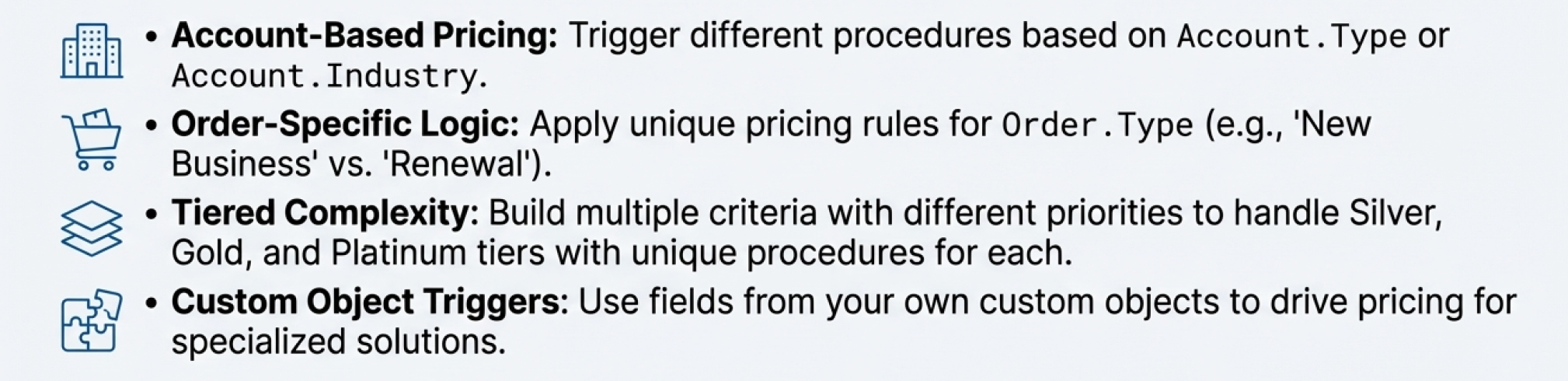
B) Route based on other record attributes
Instead of Tier, you can use:
- Account segment (Strategic/SMB/Enterprise)
- Region (EMEA/APAC/NA)
- Channel (Direct/Partner)
- Deal type (New vs Renewal)
The pattern is identical: pick a stable attribute → build criteria → route procedure.
C) Use computed “routing fields”
In complex orgs, many inputs can be messy. A clean approach is to create a single routing field on Quote (formula or flow-derived), such as:
PricingStrategy__c = "Gold_EMEA_Partner_Renewal"
Then rules match on that one stable field.
This dramatically reduces rule sprawl and makes your Procedure Plan easier to read and maintain.
Recommended naming and governance conventions
Configuration engineers usually succeed faster when they standardize:
- Plan naming:
PP_<Object>_<Purpose>(example:PP_Quote_TierRouting) - Section naming:
Pricing_<Domain>(example:Pricing_TierBased) - Rule naming:
CRIT_<priority>_<condition>(example:CRIT_10_TierGold) - Procedure naming: align with pricing strategy names used by the business (e.g., “Gold Tier Pricing”)
And operationally:
- Keep a small change log for each plan and procedure
- Always test with 2–3 representative quotes per segment
- Use console evidence in release notes (“Gold rule routes to procedure X”)
Final checklist (copy/paste for implementation)
- Create routing field on Quote (Tier)
- Create Procedure Plan Definition (Primary Object = Quote, Context = PricingTransactionCD)
- Add Pricing Procedure section and set mappings (QuoteEntitiesMapping read + save)
- Set resolution type to Rule-based and add “Tier = Gold” criteria
- Save and Activate
- Enable orchestration + exclude defaults + enable logs
- Test quote execution and verify procedure selection in console